 HuwenAI Content Workbench
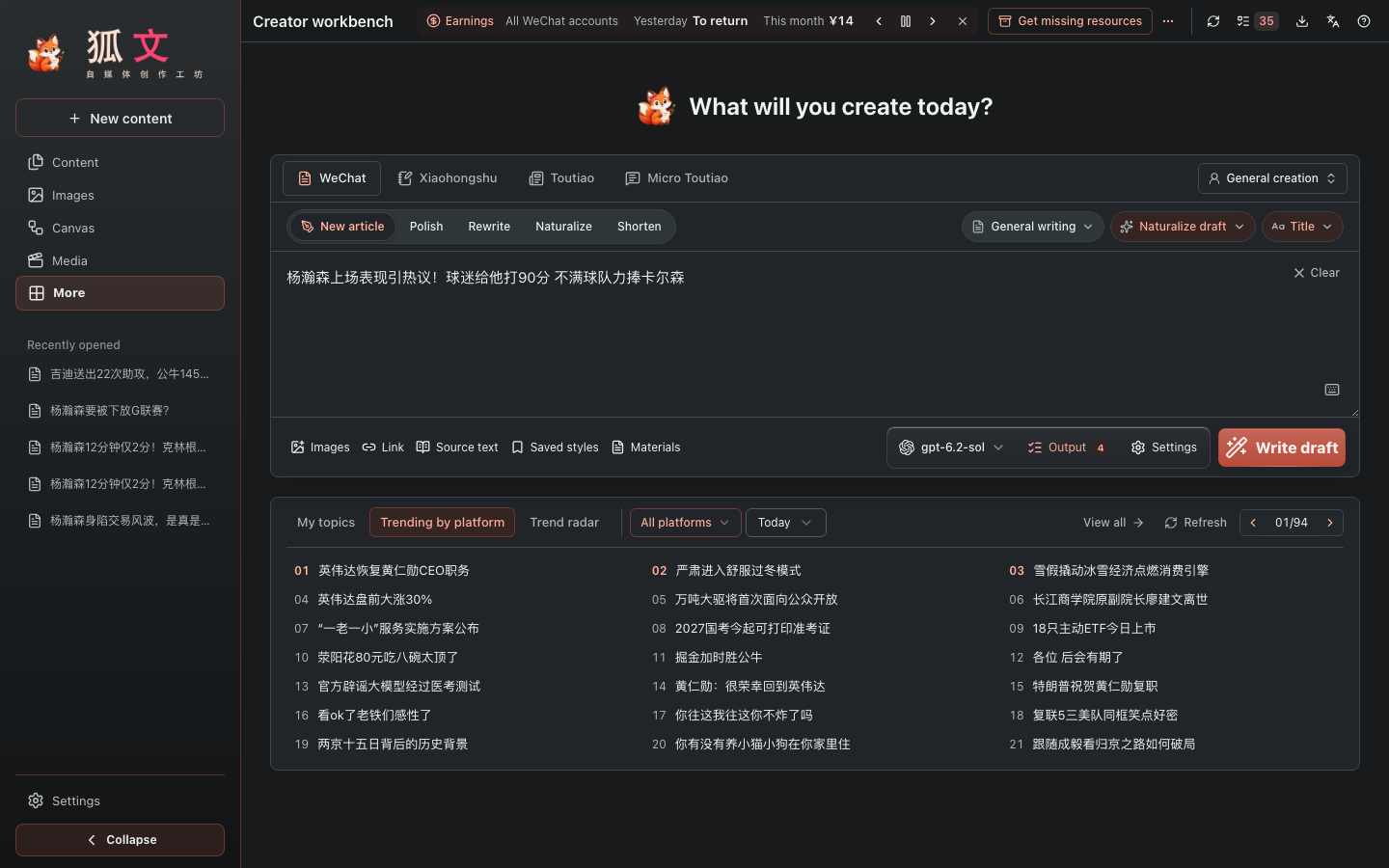
Built to keep this step effortless
01
Start from any input
Draft from scratch, polish an existing piece, rewrite, naturalize, or shorten. Enable web search only when you want live sources attached to your draft.
02
Methods stay visible before you generate
Inspect your active writing skill, four general-writing reference cards, and output settings directly on the home composer before starting.
03
One continuous workspace
Every draft lands in the article workspace with version history, AI assistant, layout preview, and multi-format export side by side.
How to get started
- Pick your target platform and account on the home composer, then enter a topic or attach reference materials.
- Choose a writing skill, model, and optional web search, then start drafting.
- Edit the manuscript, compare versions, and continue into formatting, visual cards, or export.
Usage notes
Model availability, speed, and cost depend on the AI providers you configure. Authors remain responsible for final editorial judgment.